
Thread Transfer
MCP (Model Context Protocol): The new standard for AI tools
Anthropic's MCP protocol hit 1,000+ community servers. Learn what it is, how it works, and why your team should care.
Thread Transfer
AI Systems for Builders
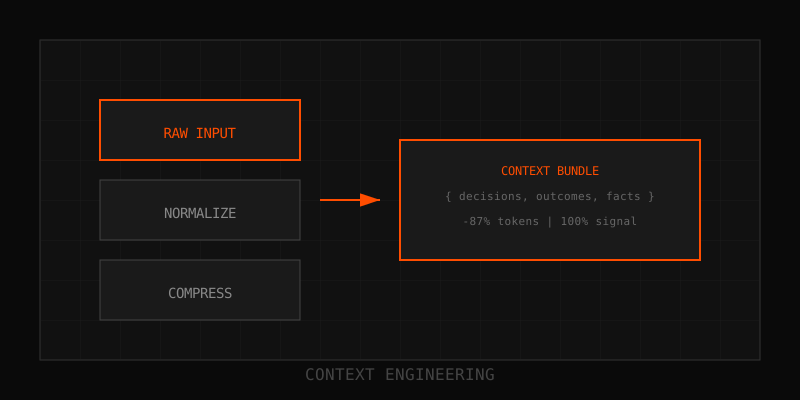
Every AI tool used to speak its own language. Claude had one integration format, GPT another, Gemini a third. Developers wrote custom connectors for every combination. Then Anthropic released the Model Context Protocol (MCP), and the ecosystem responded: over 1,000 community servers launched in months. MCP is becoming the universal standard for AI tool integration.
What is MCP?
MCP is an open protocol that standardizes how AI applications connect to data sources and tools. Think of it like USB-C for AI: one interface, infinite devices. Instead of building custom integrations for Slack, GitHub, Google Drive, and your internal APIs, you build MCP servers that expose those resources, and any MCP-compatible AI client can use them.
Released by Anthropic in late 2024, MCP defines three core primitives:
- Resources: Data sources the AI can read (files, database records, API responses).
- Prompts: Reusable prompt templates the AI can invoke.
- Tools: Actions the AI can execute (send email, create ticket, run query).
MCP servers expose these primitives over a standard JSON-RPC protocol. AI clients (Claude Desktop, IDEs, agents) discover and invoke them without custom code.
Architecture
MCP uses a client-server model:
- MCP server: Wraps a data source or API (Slack, PostgreSQL, Notion, etc.) and exposes it via MCP primitives. Can run locally, in Docker, or as a cloud service.
- MCP client: The AI application (Claude Desktop, VS Code extension, custom agent) that connects to MCP servers and invokes resources/tools.
- Protocol layer: JSON-RPC over stdio (local) or HTTP/WebSocket (remote). Handles authentication, capability negotiation, and error handling.
A single client can connect to multiple servers simultaneously. The AI dynamically chooses which tools to invoke based on the user's request.
Popular MCP servers
The community built servers for nearly every major platform. Here are the most deployed:
- Filesystem: Read/write local files. Essential for coding assistants.
- GitHub: Search code, create PRs, manage issues.
- Slack: Read channels, send messages, search history.
- PostgreSQL/MySQL: Query databases with natural language. Schema-aware.
- Google Drive: Search and retrieve documents.
- Puppeteer: Browser automation for web scraping and testing.
- Brave Search: Web search with citations.
- Memory: Persistent key-value storage for agent state.
Companies also build private MCP servers for internal tools: CRMs, ticketing systems, analytics dashboards. Once built, any MCP-compatible agent can use them.
Benefits
- Write once, use everywhere. Build an MCP server once, and every MCP client (Claude, custom agents, IDE extensions) can use it.
- Composability. Chain multiple servers together. An agent can search Slack, pull a GitHub issue, query a database, and draft an email—all through MCP.
- Security. Servers run with scoped permissions. Authentication is handled by the server, not hardcoded in prompts.
- Ecosystem velocity. New tools get AI integration "for free" by publishing an MCP server. No waiting for Claude, GPT, or Gemini to add native support.
Getting started
If you use Claude Desktop, MCP is already built in. Add servers to your config file:
{
  "mcpServers": {
    "github": {
      "command": "npx",
      "args": ["-y", "@modelcontextprotocol/server-github"],
      "env": {
        "GITHUB_TOKEN": "your-token-here"
      }
    }
  }
}
Restart Claude Desktop. Now you can say "search my GitHub repos for rate limiting bugs" and Claude will invoke the GitHub MCP server.
For custom agents, use the official MCP SDKs:
- TypeScript SDK:
@modelcontextprotocol/sdk - Python SDK:
mcp
Build a server in under 50 lines. The SDK handles protocol details. You just define resources and tools.
MCP + Thread-Transfer
Thread-Transfer bundles are portable context units. An MCP server could expose bundles as resources, letting any AI client retrieve distilled conversation history on demand. Instead of re-ingesting 100 Slack messages, the agent fetches a compact bundle and gets the context it needs in a single call.
That's the vision: MCP for tool integration, bundles for context transfer. Together, they solve the "how do I give my AI what it needs?" problem at every layer.
Why it matters
Before MCP, integrating AI with tools was a fragmented mess. Each provider had custom APIs, incompatible formats, and limited extensibility. MCP changes the game: one protocol, infinite integrations, and an ecosystem that moves faster than any single vendor.
If you're building AI agents, learn MCP. If you're building tools, publish an MCP server. It's the fastest path from "interesting prototype" to "production-ready integration."
Learn more: How it works · Why bundles beat raw thread history