
Thread Transfer
Low-code AI automation: Empowering ops teams without engineering
Ops teams shouldn't wait for engineering sprints. Low-code AI tools let them build automations themselves.
Thread Transfer
AI Systems for Builders
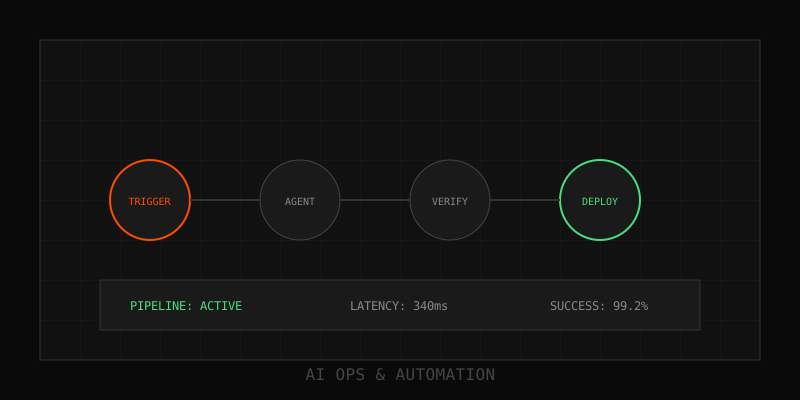
Gartner predicts 70% of new enterprise applications will use low-code or no-code platforms by 2025. AI capabilities are now native to most platforms—drag-and-drop LLM blocks, sentiment analysis nodes, and entity extraction without writing code. Ops teams can ship automations in days instead of waiting quarters for engineering sprints.
The low-code revolution reaches AI
Low-code platforms let non-engineers build applications by assembling visual components instead of writing code. Traditional low-code focused on forms, databases, and business logic. In 2025, platforms added AI primitives: LLM calls, vector search, classification models, and summarization blocks that ops teams configure through UIs.
The shift democratizes AI. Customer support leads can build ticket classifiers. Operations managers can automate invoice parsing. HR teams can deploy onboarding chatbots. No Python, no model training, no infrastructure management.
AI capabilities built into low-code platforms
Modern low-code tools offer these AI building blocks:
- LLM integration. Call GPT-4, Claude, or open models via drag-and-drop nodes. Configure prompts in text boxes, inject variables from workflow context.
- Document extraction. Upload PDFs or images, extract structured data (invoices, receipts, contracts) without custom parsers.
- Sentiment analysis. Route support tickets based on customer emotion detected in text.
- Classification and tagging. Automatically tag emails, Slack messages, or documents based on content.
- Summarization. Condense long documents, meeting transcripts, or chat threads into bullet points.
- Entity recognition. Extract names, dates, locations, and custom entities from unstructured text.
Top platforms for low-code AI automation
Zapier added AI-powered tools in 2024. Pre-built LLM actions for GPT-4, text classification, and summarization. Connect 6,000+ apps with AI steps in between. Best for simple linear workflows.
Make (formerly Integromat) offers more complex branching logic and conditional routing. Native OpenAI and Anthropic integrations. Visual scenario builder with AI modules. Better for multi-step workflows with decision trees.
Power Automate (Microsoft) integrates with Office 365, Dynamics, and Azure. AI Builder lets you train custom models or use pre-built ones for document processing and sentiment analysis. Best for Microsoft-heavy enterprises.
Retool targets internal tools. Build admin dashboards, approval interfaces, and operations panels with embedded LLM calls. Strong for custom UIs around AI workflows.
n8n is open-source and self-hostable. 400+ integrations plus LLM nodes for OpenAI, HuggingFace, and local models. Best for teams that need data sovereignty or custom deployment.
Governance considerations: keeping citizen developers safe
Empowering ops teams to build AI automations introduces risks: prompt injection, data leakage, runaway costs, and compliance violations. Here's how to govern low-code AI responsibly:
- Centralized API key management. Don't let teams paste LLM keys into workflows. Use platform-managed secrets with audit trails.
- Spend limits and budgets. Set monthly caps per team or workflow. Alert when thresholds hit 80%.
- Approved prompt templates. Provide tested, validated prompts for common tasks. Prevent freestyle prompting that leaks PII.
- Data classification enforcement. Block workflows that send sensitive data to external LLMs unless approved.
- Review and approval gates. Require security or compliance sign-off before workflows touch production systems.
- Observability and logging. Mandate structured logs for every AI call. Trace inputs, outputs, and costs.
Getting started: build your first low-code AI automation
- Pick a repetitive task. Look for workflows where humans read unstructured input and make simple decisions (classify support tickets, extract invoice data, summarize meeting notes).
- Choose a platform. Start with Zapier if you want speed. Use Make for more complex logic. Power Automate if you're in the Microsoft ecosystem.
- Define success metrics. Time saved, error rate, user satisfaction. Track before and after.
- Build a prototype. Connect trigger (new email, Slack message, file upload) to LLM step to action (update database, send notification).
- Test with real data. Run 50-100 examples through the workflow. Measure accuracy and fix edge cases.
- Roll out with monitoring. Deploy to production with logging, alerts, and fallback to human review for low-confidence outputs.
When low-code isn't enough
Low-code platforms work well for linear workflows with simple branching logic. They struggle with:
- Complex multi-agent orchestration with negotiation and feedback loops.
- Custom model training or fine-tuning on proprietary data.
- High-throughput workflows that need sub-100ms latency.
- Advanced error handling with retries, circuit breakers, and rollback logic.
When you hit those limits, graduate to code-first frameworks (Temporal, LangGraph, AutoGen) or hybrid platforms that blend visual builders with custom code.
Context continuity in low-code workflows
Low-code platforms excel at connecting apps but often lose context in handoffs. When a Zapier workflow triggers an LLM that posts to Slack, the full conversation history rarely travels with it. Humans see a summary but can't trace back to the original context.
Portable bundles solve this. Thread-Transfer bundles package conversation history, decisions, and metadata into a structured block that flows through Zapier, Make, or Power Automate. When the workflow hands off to humans, full context is one click away.
Building low-code AI for your ops team? We've helped five teams launch their first citizen-developer AI programs.
Learn more: How it works · Why bundles beat raw thread history