
Thread Transfer
Building an AI knowledge base that actually works
Employees have access to 10.8M files on average. An AI knowledge base cuts through the noise. Here's how to build one.
Thread Transfer
AI Systems for Builders
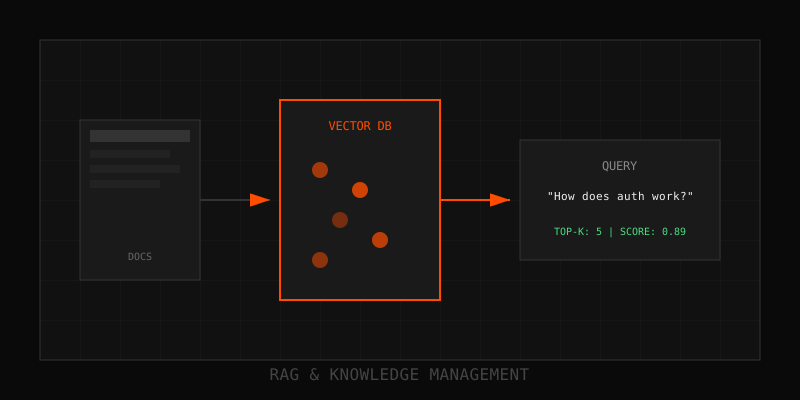
The average enterprise employee has access to 10.8 million files. Finding the right answer buried in Confluence, SharePoint, Google Drive, Notion, and Slack is impossible without AI. An AI knowledge base cuts through the noise, surfacing the exact document, section, or conversation thread you need in under 2 seconds. This guide walks you through building one that actually works in production.
What is an AI knowledge base?
It's not just a semantic search layer over your docs. A production knowledge base includes:
- Document ingestion pipelines that pull from Confluence, Notion, Slack, Drive, Zendesk, and custom sources
- Chunking and embedding that preserves context while fitting into vector search
- Hybrid search combining semantic (vector) + keyword (BM25) retrieval
- Re-ranking to surface the most relevant chunks, not just the most similar
- LLM-powered summarization that synthesizes answers from multiple sources
- Access control so users only see docs they have permission to view
Without all six, you're building a search engine, not a knowledge base.
Architecture: The five-layer stack
Layer 1: Connectors and ingestion. Use pre-built connectors (Unstructured.io, LlamaIndex, LangChain) or build custom scrapers for internal systems. Ingest on a schedule (hourly, daily) and track document versions. Store raw docs in S3/R2 with metadata (source, author, timestamp, permissions).
Layer 2: Chunking and preprocessing. Chunk docs into 200-500 token segments with 20% overlap. Preserve headings and structure—semantic chunking outperforms fixed-size by 15%. Strip boilerplate but keep metadata (doc title, section name) prepended to each chunk.
Layer 3: Embedding and indexing. Use OpenAI text-embedding-3-large or Cohere embeddings. Store vectors in Pinecone, Weaviate, or Qdrant. Index for hybrid search: vectors + BM25 keyword index. Build separate indexes per permission group if access control is critical.
Layer 4: Retrieval and re-ranking. At query time, run hybrid search (semantic + BM25), fuse results with RRF (Reciprocal Rank Fusion), and re-rank with Cohere Rerank or a cross-encoder. Return top 5-10 chunks with source citations and confidence scores.
Layer 5: LLM synthesis. Pass retrieved chunks + user query to an LLM (GPT-4, Claude 3.5). Instruct it to cite sources, flag conflicts, and admit when evidence is insufficient. Stream the answer back to users with inline citations linking to source docs.
Key capabilities: What production systems must handle
Incremental updates. Don't re-index the entire corpus daily. Track doc versions, detect changes, and update only modified chunks. Use checksums or Last-Modified headers to trigger re-embedding.
Permission-aware retrieval. If Alice can't see the Finance folder in Drive, she shouldn't see those docs in search results. Filter at retrieval time using metadata tags or separate indexes per permission group.
Multi-source synthesis. The best answers pull from Confluence + Slack + Zendesk. Your LLM layer must reconcile conflicts, highlight disagreements, and cite all sources.
Implementation steps: From zero to production in 8 weeks
Weeks 1-2: Connector setup. Identify your top 3 data sources (usually Confluence, Slack, Notion). Build or integrate connectors. Ingest 1,000 docs as a pilot corpus. Validate metadata extraction and access control propagation.
Weeks 3-4: Chunking and embedding. Experiment with chunk sizes (200, 400, 800 tokens). Measure retrieval precision on 50 test queries. Tune overlap percentage. Embed pilot corpus and index in your vector DB.
Weeks 5-6: Hybrid search and re-ranking. Implement BM25 alongside semantic search. Fuse results with RRF. Add Cohere Rerank or a cross-encoder. Measure top-5 accuracy—aim for 80%+ on your test set.
Weeks 7-8: LLM synthesis and launch. Wire up GPT-4 or Claude to generate answers from retrieved chunks. Add citation formatting. Test with 10 internal users. Collect feedback on answer quality and source relevance. Iterate on prompts and re-ranking thresholds. Launch to broader team.
Common pitfalls and how to avoid them
Pitfall 1: Ignoring access control. Leaking restricted docs kills trust instantly. Filter at retrieval time or use per-group indexes.
Pitfall 2: Over-chunking or under-chunking. 50-token chunks lose context. 2000-token chunks waste tokens and dilute relevance. 200-500 is the sweet spot for most use cases.
Pitfall 3: Skipping re-ranking. Top-k vector search returns similar chunks, not alwaysuseful ones. Re-ranking fixes this. Teams that skip it see 20-30% lower answer quality.
Pitfall 4: No incremental updates. Re-indexing 10M docs daily is expensive and slow. Incremental updates cut costs by 80% and keep the index fresh.
Bottom line: An AI knowledge base is a system, not a feature. Get ingestion, chunking, hybrid search, re-ranking, and synthesis right, and your team will wonder how they ever survived without it.
Learn more: How it works · Why bundles beat raw thread history