
Thread Transfer
The conversation handoff problem: Why customers hate repeating themselves
Making customers repeat their issue is the #1 cause of handoff frustration. Here's the architecture that prevents it.
Thread Transfer
AI Systems for Builders
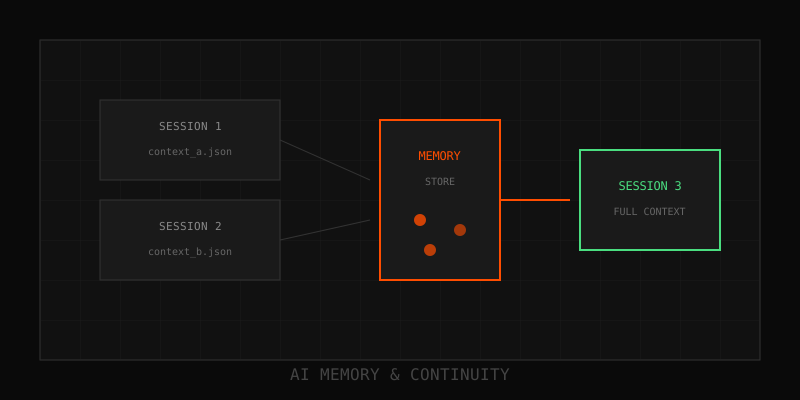
"Can you repeat that?" It's the fastest way to kill customer trust during a handoff. Your AI chatbot gathers all the context, then the human agent picks up and asks the customer to start over. This isn't just annoying—it's the #1 cause of handoff failure in customer support. Full context transfer is the most critical factor for successful AI-to-human escalations. Here's why it breaks and how to fix it.
The handoff problem
The AI chatbot collects all the details: customer name, issue description, account info, troubleshooting steps already tried. Then it escalates to a human. The agent opens the ticket and sees... nothing. Or worse, a 300-message transcript dump they'll never read.
So they do what's efficient for them: "Hi, how can I help you today?" The customer repeats everything. Frustration spikes. CSAT drops. The entire point of the AI—gathering context efficiently—evaporates.
This isn't edge-case failure. It's the default outcome when teams bolt AI onto existing systems without thinking about context transfer.
Why handoffs fail
Four failure modes dominate:
- No transfer mechanism: The AI and the helpdesk live in separate systems with no shared state. The conversation stays in the chatbot database; the ticket system gets nothing.
- Raw transcript dump: You paste the entire conversation into the ticket. Agents skim or skip it. Too much noise, no structure.
- Lossy summarization: The AI generates a summary, but critical details (error codes, account IDs, prior steps) are missing. The agent has to re-ask.
- UI disconnect: Context exists somewhere but isn't surfaced in the agent's workflow. They'd have to click through three tabs to find it. They don't.
What good context transfer looks like
When a human agent picks up a ticket, they should see:
- Issue summary (2-3 sentences): What the customer needs, stated clearly.
- Key facts: Account ID, product version, error messages, troubleshooting already attempted.
- Customer sentiment: Are they frustrated? Confused? Neutral?
- Recommended next steps: What the AI couldn't solve and why it escalated.
- Access to full transcript: Available if needed, but not mandatory reading.
This structure lets the agent get up to speed in 15-30 seconds. No repeated questions. No guesswork.
Context transfer architecture
Here's how to build it:
Step 1: Capture structured data during the AI conversation
Don't just log messages. Extract facts as you go:
- Customer name, email, account ID
- Product or feature involved
- Error codes or symptoms
- Steps already tried (e.g., "restarted app," "cleared cache")
- Escalation reason (e.g., "requires refund approval," "technical issue beyond AI scope")
Store these in a normalized schema, not as freeform text.
Step 2: Generate a distilled summary
Use a small LLM (GPT-4o-mini or Claude Haiku) to compress the conversation into a structured summary. Template:
**Issue:** [1-2 sentence description]
**Customer:** [name, account ID]
**Context:** [error message, product version, etc.]
**Steps taken:** [bulleted list]
**Reason for escalation:** [why the AI couldn't resolve it]
**Recommended action:** [what the agent should do next]
This takes 200-500 tokens. Cheap, fast, and human-readable.
Step 3: Write summary to the ticket system
When the AI escalates, it should:
- Create a new ticket (or update an existing one)
- Write the summary as the first comment or in a dedicated "AI Context" field
- Attach the full transcript as a collapsible section or linked file
- Tag the ticket with relevant metadata (e.g., "AI Escalation," "Refund Request")
Integration points: Zendesk API, Intercom API, Salesforce Service Cloud, or any ticketing system with a REST API.
Step 4: Surface context in the agent UI
The summary should be visible by default when the agent opens the ticket. Not hidden in a tab. Not buried in the activity log. Front and center.
Best practices
- Fail gracefully: If summarization fails, send the raw transcript. Lossy is better than nothing, but lossy is still bad. Prioritize reliability.
- Test with real agents: Show them the summary format. Ask: "Can you solve this without asking follow-ups?" Iterate until they say yes.
- Track repeat questions: If agents still ask "What's your account ID?" after an AI handoff, your context transfer is broken. Log these incidents and fix the schema.
- Include sentiment flags: If the customer is angry, the agent needs to know upfront so they can adjust tone.
How Thread-Transfer solves this
Our bundles are designed for exactly this use case. Instead of dumping raw transcripts, we distill conversations into structured, portable blocks:
- Facts: Extracted entities, error codes, user preferences
- Decisions: What was decided, by whom, and when
- References: Links back to original messages for audit trails
- Summaries: Human-readable overviews for quick onboarding
When a bundle is attached to a ticket, the agent gets full context without reading a novel. Customers don't repeat themselves. CSAT goes up.
Measuring success
Track these metrics to know if your handoffs are working:
- Repeat question rate: % of escalations where the agent asks the customer to re-explain the issue
- Time to first meaningful response: How long after handoff does the agent send a solution (not "let me look into that")?
- CSAT for escalated tickets: Compare satisfaction for AI→human handoffs vs. direct human tickets
If handoffs are working, CSAT should be equal or higher for escalations. Customers appreciate not repeating themselves.
Next steps
Want to eliminate repeated context? Start by auditing 10 recent escalations. Read the AI conversation, then read the first agent message. Did the agent have everything they needed? If not, that's your backlog.
Questions? Email info@thread-transfer.com
Learn more: How it works · Why bundles beat raw thread history