
Thread Transfer
Context preservation across AI tools: A portable solution
Slack context shouldn't die when it hits Linear. Here's how portable bundles solve cross-tool context loss.
Thread Transfer
AI Systems for Builders
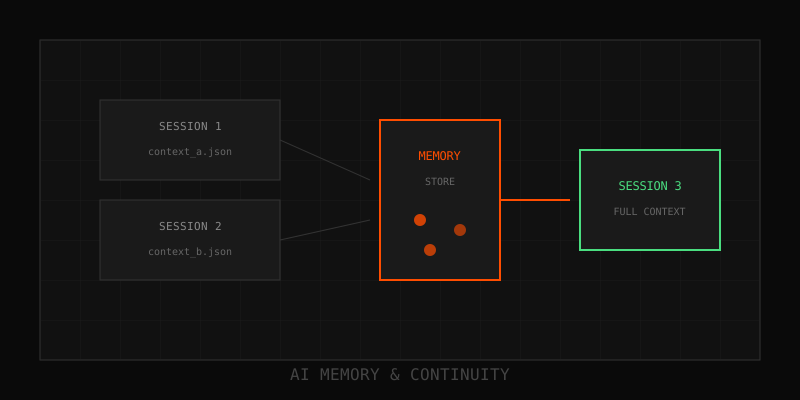
Context doesn't stay in one place. A customer support thread starts in Slack, moves to a ticket in Zendesk, then gets escalated to a Jira issue. At each step, context gets lost. Agents re-ask questions. Engineers dig through Slack archives. Everyone wastes time. The root cause? Context isn't portable. Here's how to fix it.
The portability problem
Each tool stores context in its own format:
- Slack: JSON with messages, reactions, threads
- Zendesk: Ticket fields, comments, tags
- Linear: Issues, descriptions, relationships
- Jira: Tickets with custom fields, attachments, history
When you move context between tools, you have two bad options:
- Paste raw text: Dump the Slack thread into a Zendesk comment. Loses structure, timestamps, and authorship.
- Link to the original: Add a Slack link to the ticket. Agents have to click away, search through noise, and reconstruct context manually.
Neither works at scale. You need a portable format that preserves structure, compresses noise, and integrates cleanly with downstream tools.
What makes context portable
Portable context is:
- Structured: Not raw text. Schema-based with facts, decisions, references.
- Self-contained: Includes everything needed to understand the situation without external lookups.
- Compact: Distilled from 200 messages to 20 key points.
- Audit-ready: Timestamped, immutable, with links back to original sources.
- Tool-agnostic: Works in Slack, Zendesk, Linear, Jira, or any system with an API.
The bundle approach
Instead of dumping raw threads, we distill conversations into bundles—structured blocks that travel between tools. A bundle contains:
- Facts: Extracted entities (account ID, error code, product version)
- Decisions: What was decided, by whom, and when
- References: Links back to original messages for audit trails
- Summary: Human-readable overview for quick onboarding
Bundles are JSON objects with a stable schema. They can be:
- Attached to Zendesk tickets as structured metadata
- Posted to Linear issues as descriptions
- Stored in a database for retrieval by AI agents
- Sent via API to any downstream system
Example: Slack → Zendesk → Linear
Step 1: Capture context in Slack
A customer reports a bug in #support. The thread grows to 47 messages with screenshots, error logs, and troubleshooting steps.
Step 2: Distill into a bundle
An AI reads the thread and extracts:
{
  "facts": [
    {"key": "account_id", "value": "acme-corp-123"},
    {"key": "error_code", "value": "ERR_TIMEOUT"},
    {"key": "product_version", "value": "2.4.1"}
  ],
  "decisions": [
    {"text": "Escalated to engineering", "by": "support-agent", "at": "2025-03-26T14:32:00Z"}
  ],
  "references": [
    {"type": "slack_message", "url": "https://slack.com/archives/C123/p1234567890", "text": "Error log screenshot"}
  ],
  "summary": "User reports timeout errors in v2.4.1. Reproduced on staging. Escalated to eng."
}
Step 3: Create Zendesk ticket with bundle
The bundle is attached to the ticket as structured metadata. The agent sees:
- Summary: Timeout errors in v2.4.1, reproduced on staging
- Key facts: account_id, error_code, product_version
- References: Links to Slack messages with screenshots
No need to read 47 messages. The agent gets full context in 15 seconds.
Step 4: Escalate to Linear
Engineering needs to fix the bug. The Zendesk agent creates a Linear issue and includes the bundle:
Title: [Bug] Timeout errors in v2.4.1

Description:
[Bundle summary + facts + references]

Original Slack thread: [link]
Zendesk ticket: [link]
Engineers get the full story without digging through Slack or Zendesk. Context travels cleanly across all three tools.
Integration patterns
Here's how to integrate bundles into your workflow:
Pattern 1: API-based transfer
When context moves from Tool A to Tool B:
- Extract facts/decisions from Tool A using an AI
- Generate a bundle (JSON object)
- POST the bundle to Tool B's API as structured metadata
Works for: Slack → Zendesk, Zendesk → Linear, Intercom → Jira
Pattern 2: Embedded bundles
Store bundles as JSON in a custom field or comment. Example:
Zendesk custom field: ai_context_bundle
Value: [JSON bundle]
The agent UI can parse and display the bundle in a readable format.
Pattern 3: Bundle database
Store bundles in a central database. Attach a bundle_id to tickets/issues/threads. Downstream tools retrieve the bundle via API when needed.
Works for: Multi-tool workflows with many handoffs
Implementation steps
- Define your bundle schema: What facts, decisions, and references matter for your workflow?
- Build extraction logic: Use a small LLM to parse conversations and generate bundles.
- Integrate with target tools: Use APIs to attach bundles to tickets, issues, or records.
- Surface bundles in UIs: Make sure agents/engineers see the bundle without extra clicks.
- Maintain audit trails: Link bundles back to original messages for compliance.
Benefits
- No repeated questions: Agents get full context upfront
- Faster resolution: Less time digging through old threads
- Audit-ready: Links back to original sources for compliance
- Token savings: Distilled bundles are 40-80% smaller than raw threads
- Tool-agnostic: Works across Slack, Zendesk, Linear, Jira, and more
How Thread-Transfer solves this
This is exactly what we built. Thread-Transfer distills long conversations into portable bundles that integrate with your existing tools. Instead of pasting raw Slack threads into Zendesk, you attach a structured bundle. Agents get the full story in seconds. Engineers don't dig through noise.
Bundles include:
- Facts (entities, error codes, account IDs)
- Decisions (what was resolved, by whom, when)
- References (links to original messages)
- Summaries (human-readable overviews)
And they work everywhere: Slack, Zendesk, Linear, Jira, or your internal tools via API.
Next steps
Audit your last 10 cross-tool handoffs. How much context was lost? How many times did someone ask "Can you send me the Slack thread?" That's your opportunity cost.
Questions? Email info@thread-transfer.com
Learn more: How it works · Why bundles beat raw thread history