
Thread Transfer
AI-powered ticket summarization: What agents need, what customers want
AI summaries attached to tickets let agents get up to speed without reading 50 messages. Here's the implementation.
Thread Transfer
AI Systems for Builders
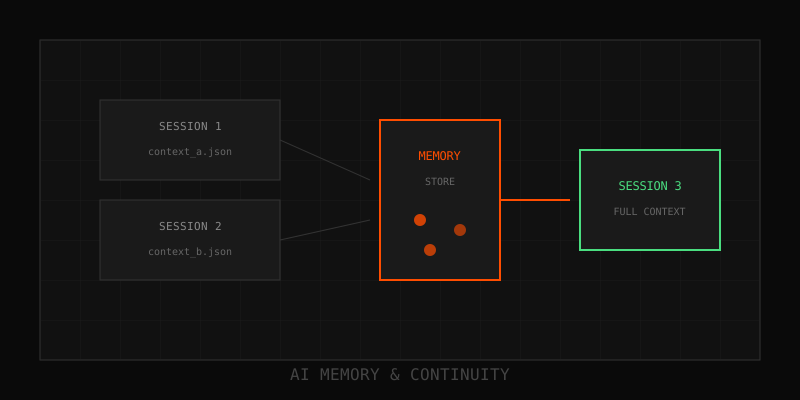
Support agents don't have time to read 50-message threads before responding. Customers don't want to repeat themselves. AI-powered summaries solve both problems. When a ticket lands, the agent sees a 3-sentence overview with key facts, prior steps, and recommended actions. They get up to speed in 15 seconds. Here's how to build it.
Why summarization matters
Without summaries:
- Agents skim or skip long threads
- They ask customers to repeat key details
- First response time is slow
- Resolution quality suffers
With summaries:
- Agents get full context in seconds
- No repeated questions
- Faster resolution
- Higher CSAT
The difference is night and day.
What agents actually need
Agents don't need every detail. They need:
- Issue summary (1-2 sentences): What's broken or what the customer wants
- Key facts: Account ID, error codes, product version, user actions
- Steps already tried: Troubleshooting done by the customer or prior agents
- Sentiment: Is the customer frustrated? Neutral? Happy?
- Recommended action: What should the agent do next?
Optional but valuable:
- Links to relevant docs or prior tickets
- Escalation reason (why it reached a human)
- Confidence score (how certain the AI is about the summary)
What customers want
Customers want:
- No repeated questions: If they already provided their account ID, don't ask again
- Proof the agent read their issue: The first response should reference specifics from the conversation
- Fast resolution: Get to a solution without back-and-forth
A good summary enables all three. The agent reads the summary, references the customer's prior messages in their response, and moves straight to a solution.
Summary architecture
Here's how to build it:
Step 1: Capture the conversation
Gather all messages from the ticket or thread. Include:
- Customer messages
- Bot responses (if any)
- Attachments (error logs, screenshots)
- Metadata (timestamps, authorship, sentiment flags)
Step 2: Extract structured data
Use a small LLM (GPT-4o-mini or Claude Haiku) to extract:
- Account ID, email, user name
- Product or feature involved
- Error codes or symptoms
- Steps the customer already tried
- Customer sentiment (frustrated, neutral, happy)
Store these as structured fields, not freeform text. This makes the summary machine-readable for downstream systems.
Step 3: Generate summary
Prompt the LLM to compress the conversation into a structured summary. Example prompt:
You are summarizing a customer support ticket for an agent.

Conversation: [full thread]

Generate a summary with:
1. Issue (1-2 sentences)
2. Key facts (bulleted list)
3. Steps already tried (bulleted list)
4. Customer sentiment (one word: frustrated, neutral, happy)
5. Recommended action (one sentence)
Output format:
**Issue:** User reports login failures on mobile app since yesterday.

**Key facts:**
- Account: acme-corp-123
- Product: iOS app v2.4.1
- Error: "Invalid credentials" despite correct password

**Steps tried:**
- Reset password (issue persists)
- Reinstalled app (issue persists)

**Sentiment:** Frustrated

**Recommended action:** Check for server-side auth service outage or account-specific flags.
Step 4: Attach summary to ticket
When the ticket is created or updated:
- Write the summary as the first internal comment (visible to agents, not customers)
- Store it in a custom field (e.g.,
ai_summary) - Surface it in the agent UI at the top of the ticket
The summary should be visible by default when the agent opens the ticket. Not hidden in a tab.
Step 5: Link to full thread
Include a "View full conversation" link below the summary. Most of the time agents won't need it, but it's there for edge cases.
Implementation checklist
- Hook into ticket creation: Trigger summarization when a ticket is created or updated.
- Extract structured data: Use LLM to parse conversation and extract facts.
- Generate summary: Compress into issue + facts + steps + sentiment + action.
- Attach to ticket: Write to internal comment or custom field.
- Surface in UI: Make sure agents see it without extra clicks.
- Monitor quality: Spot-check summaries for accuracy. Flag hallucinations.
Quality control
AI summaries can be wrong. Protect against:
- Hallucinated facts: The AI invents details not in the conversation. Mitigate by including confidence scores and validating critical facts (e.g., account IDs).
- Missing context: The summary skips critical steps or error codes. Test with edge cases and adjust prompts.
- Tone mismatch: The summary says "frustrated" when the customer is calm. Use sentiment analysis tools to double-check.
Run a weekly QA loop: sample 10 tickets, read the full thread, compare to the summary. Fix prompts as needed.
When to skip summarization
Skip if:
- The conversation is already short (1-3 messages)
- The ticket has no prior messages (new ticket with no history)
- The customer explicitly requests no AI processing
Otherwise, summaries save time for both agents and customers.
Measuring success
Track these metrics:
- Time to first response: Do agents respond faster with summaries?
- Repeat question rate: Do agents still ask for details already in the thread?
- CSAT: Do customers rate tickets higher when agents use summaries?
- Agent feedback: Do agents find summaries useful? Survey them.
If agents ignore summaries, your UI integration or summary quality is broken. Fix it.
Advanced: Multi-ticket context
Some tickets relate to prior tickets. Example: A customer reports a bug, gets a workaround, then reports it again a week later.
Advanced summaries can include:
- Prior ticket references: "Related to ticket #5432 (login issues, resolved 2025-03-15)"
- Pattern detection: "This is the 3rd ticket from this customer about login issues"
This requires linking tickets by customer ID and doing a lookup before summarization. Worth it for high-value customers.
Tools and integrations
- Zendesk: Use the Zendesk API to read messages and write summaries to internal comments or custom fields.
- Intercom: Trigger summarization on ticket creation via webhooks. Store summaries in conversation metadata.
- Salesforce Service Cloud: Write summaries to Case comments or custom fields.
- Custom tools: Expose an API endpoint for summarization. Call it from your ticketing system.
Next steps
Start small: Pick 10 recent tickets with long threads. Manually write ideal summaries. Then build the automation to match that quality.
Questions? Email info@thread-transfer.com
Learn more: How it works · Why bundles beat raw thread history