
Thread Transfer
80% automation rate: How to get there without sacrificing CSAT
High automation doesn't mean low satisfaction. Teams hit 80% automation while improving CSAT. Here's how.
Thread Transfer
AI Systems for Builders
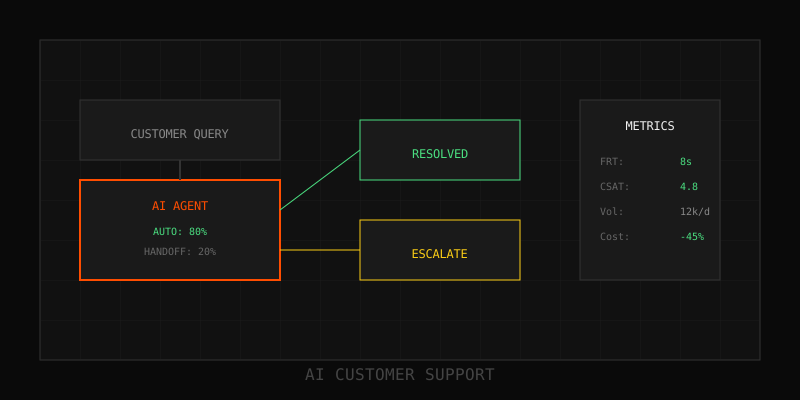
The conventional wisdom says you can have high automation or high satisfaction, not both. The data from 2025 deployments proves otherwise. Teams routinely hit 80% automation rates while maintaining 85%+ CSAT. The difference isn't AI capability—it's architecture. This post breaks down the patterns that let you automate aggressively without sacrificing customer trust.
Why 80% is the target
The 80/20 rule applies to support tickets: 80% are routine and automatable. The remaining 20% require human judgment, empathy, or access to systems AI can't touch. Teams that try to automate beyond 85% see CSAT collapse as edge cases and frustrated customers hit dead ends. The sweet spot is 75–85% automation, reserving humans for high-value, high-complexity interactions.
- Below 70%: Underutilizing AI, leaving cost savings on the table
- 70–85%: Optimal zone—routine work automated, humans handle nuance
- Above 85%: Diminishing returns, CSAT risk increases sharply
The architecture: Four decision points
High-automation, high-CSAT systems share a common routing architecture with four decision layers:
1. Intent classification
First contact: classify the ticket into one of 15–30 intent buckets (password reset, billing question, bug report, feature request, etc.). Use a lightweight model (GPT-4o-mini, Claude Haiku) for speed and cost. Confidence threshold: 85%. Below that, escalate to a human immediately.
2. Automation eligibility
Not all intents are automatable. Password resets: yes. Refund requests over $500: no. Build a routing table that maps intent + context (customer tier, account age, sentiment) to automation decision. Example rules:
- FAQ queries → AI answers directly
- Tier-1 troubleshooting + standard account → AI-guided flow
- Billing disputes + enterprise account → human agent immediately
- Bug reports + negative sentiment → human + AI assist
3. AI execution with quality gates
If the ticket passes automation eligibility, AI handles it—but with guardrails. Before responding, validate:
- Knowledge base retrieval confidence > 90%
- Generated response passes toxicity and policy filters
- No customer PII in the response (redaction check)
If any gate fails, escalate to human review. Don't auto-respond with low-confidence answers—that's the fastest way to tank CSAT.
4. Continuous feedback loop
After AI responds, monitor customer reaction. If they reply "that didn't help" or rephrase the question, escalate immediately. Track escalation rate per intent. If an intent consistently escalates > 20%, remove it from the automation pool and retrain.
Quality maintenance: What top teams do
80% automation isn't a one-time achievement—it's a continuous process. Teams that maintain high CSAT run:
- Weekly CSAT audits by intent: Identify which automated intents are slipping. If "billing question" drops from 88% to 82% CSAT, investigate and fix.
- Monthly knowledge base reviews: AI is only as good as the docs. Stale KB articles kill accuracy. Audit and refresh top-50 articles monthly.
- Quarterly routing table tuning: Customer behavior changes. An intent that was automatable in Q1 might not be in Q3. Re-evaluate eligibility rules every quarter.
- Real-time sentiment monitoring: If negative sentiment spikes on automated tickets, pause that intent's automation and investigate.
Escalation design: The make-or-break detail
The transition from AI to human is where most teams fail. Customers don't mind AI—until they need help and can't get it. Best-in-class escalation design includes:
- Always-visible escape hatch: "Talk to a human" button in every AI interaction. Don't hide it.
- Full context transfer: When a human takes over, they see the full conversation history, customer info, and AI's attempted solution. No "can you repeat that?"
- Escalation reason capture: Log why AI escalated (low confidence, sentiment, customer request, policy rule). Use this to retrain and refine routing.
- SLA on escalated tickets: Escalated tickets should be prioritized, not deprioritized. If a customer fought through AI and asked for help, they're frustrated—respond fast.
Measurement: Metrics that matter
Track these weekly to stay in the 80% / 85% CSAT sweet spot:
- Automation rate: (AI-resolved tickets) / (total tickets)
- Escalation rate: (AI-started, human-finished) / (AI-started tickets)
- CSAT by resolution type: Compare AI-only vs. AI+human vs. human-only CSAT
- First-contact resolution (FCR): Percentage resolved in one interaction, no follow-up
- Containment rate: Percentage of AI interactions that don't escalate
If automation rate climbs but CSAT or FCR drop, you're automating the wrong tickets. If escalation rate exceeds 20%, your intent classification or confidence thresholds are too aggressive.
Common pitfalls
- Automating for automation's sake: Pressure to hit 90% automation leads teams to automate tickets they shouldn't. Resist. Stick to the 80% rule.
- Ignoring edge cases: The last 10% of automation coverage handles 40% of the complexity. Don't try to force it.
- No feedback loop: If you're not retraining based on escalations, your automation rate will decay over time.
- Opaque AI responses: Customers trust AI more when it cites sources. "According to our Help Center article XYZ…" beats "Here's the answer" every time.
Next steps
Audit your current automation rate and CSAT by intent. Identify the 5–10 intents that are high-volume, low-complexity, and high-confidence. Automate those first. Build the routing table, guardrails, and escalation paths. Measure weekly. Iterate. You'll hit 80% faster than you think—and your customers will thank you for it.
Learn more: How it works · Why bundles beat raw thread history