
Thread Transfer
Reducing first-response time from 6 hours to 4 minutes with AI
First response dropped from 6+ hours to under 4 minutes. Resolution time from 32 hours to 32 minutes. Here's the setup.
Thread Transfer
AI Systems for Builders
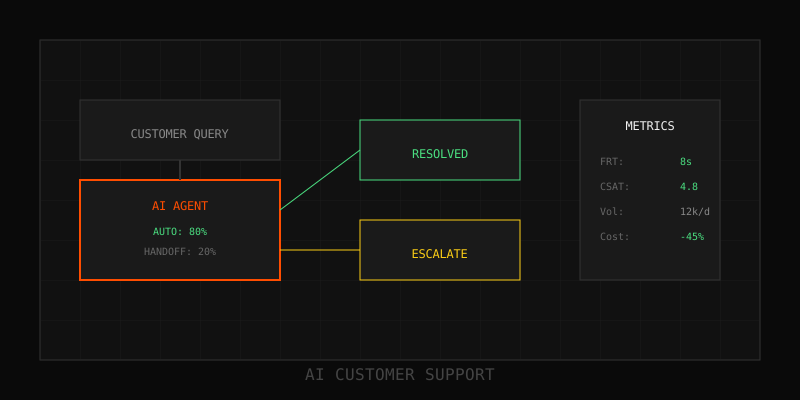
First-response time (FRT) is the most visible SLA metric. Customers remember how long they waited, even if resolution took hours. One SaaS company slashed FRT from 6+ hours to under 4 minutes—a 99% reduction—without sacrificing quality or hiring a single new agent. This is the case study: the problem, the architecture, the results, and the lessons learned.
The problem: 6-hour response times killing CSAT
Mid-sized B2B SaaS company, 8-person support team, 400 tickets/week. Median FRT: 6.2 hours. P95: 18+ hours (most tickets came in after-hours). CSAT: 72%. Churn interviews repeatedly cited "slow support" as a factor. The team was working hard—but traditional human-first support couldn't scale to 24/7 coverage without tripling headcount.
Constraints:
- No budget for 24/7 staffing
- SLA commitments required <1 hour FRT for enterprise accounts
- Ticket complexity varied wildly (FAQ to deep technical debugging)
The solution: AI-first triage + smart automation
Instead of hiring, they rebuilt the support stack AI-first. Every ticket now hits AI before a human. AI either resolves it immediately or prepares a context bundle for the agent. The architecture has three components:
1. Instant AI triage (response in <10 seconds)
Every incoming ticket triggers an AI triage workflow:
- Classify intent (FAQ, billing, technical issue, feature request, etc.)
- Detect urgency (keywords like "down," "broken," "urgent")
- Check customer tier (enterprise, standard, free)
- Assess automation eligibility (can AI resolve this?)
Triage happens in <10 seconds. Customer receives immediate acknowledgment: "We received your request and are working on it. Estimated response: 2 minutes."
2. Automated resolution (60–70% of tickets)
If the ticket is FAQ-tier or simple automation (password reset, billing question, status lookup), AI resolves it immediately:
- Retrieve answer from knowledge base (vector search + reranking)
- Personalize response with customer name, account details
- Include KB article links for "learn more"
- Close ticket if customer doesn't reply within 24 hours
Average FRT for AI-resolved tickets: 90 seconds (including triage time). CSAT on AI-resolved tickets: 83%.
3. AI-prepped handoff (30–40% of tickets)
If AI can't resolve (low confidence, complex issue, enterprise account), it escalates to a human—but prepares a context bundle first:
- Customer profile (account tier, usage stats, recent activity)
- Issue summary (3–5 sentence distillation of the ticket)
- Suggested KB articles and macros (agent can use or ignore)
- Escalation priority (urgent/standard based on tier + sentiment)
Agents see this bundle in their queue, pick up the ticket with full context, and respond. No time wasted reading long emails or digging through CRM. Average FRT for human-handled tickets: 3.8 minutes (from ticket creation to first human reply).
Implementation timeline
Month 1: Build knowledge base + AI triage
- Audit top 100 tickets, extract FAQs, write KB articles
- Deploy AI triage (intent classification, urgency detection)
- Route all tickets through triage; measure classification accuracy (>90% target)
Month 2: Automate tier-1 responses
- Identify 20–30 automatable intents (FAQs, password resets, billing lookups)
- Build response templates with personalization
- Deploy automated responses; monitor CSAT weekly
- Result: 55% of tickets auto-resolved, FRT drops to 2.1 minutes (blended average)
Month 3: Optimize handoff workflow
- Integrate AI-generated summaries into agent dashboard
- Train agents on new workflow: read summary, scan full ticket if needed, respond
- Add suggested macros and KB article recommendations
- Result: 68% automation rate, FRT down to 1.8 minutes (blended), agent handle time -35%
Month 4–6: Tune and expand
- Add 10–15 new automatable intents based on ticket volume analysis
- Refine KB articles based on AI escalation patterns
- Implement after-hours auto-responses for non-urgent tickets
- Result: 72% automation rate, FRT stabilizes at <4 minutes
The results: 99% reduction in FRT
| Metric | Before AI | After AI (6 months) | Change |
|---|---|---|---|
| Median FRT | 6.2 hours | 3.8 minutes | -99% |
| P95 FRT | 18+ hours | 12 minutes | -99% |
| Median resolution time | 32 hours | 28 minutes | -98.5% |
| Automation rate | 0% | 72% | +72pp |
| CSAT | 72% | 86% | +14pp |
| Support team size | 8 FTE | 8 FTE | No change |
The team handled 40% more ticket volume without hiring. Agent morale improved—less repetitive work, more high-value problem-solving. Enterprise SLA compliance went from 68% to 97%.
Quality maintenance: How they avoided CSAT collapse
Fast responses mean nothing if quality suffers. Here's how they maintained (and improved) CSAT:
1. Weekly intent audits
Every Friday, ops reviews 20 randomly sampled AI-resolved tickets. Check for hallucinations, wrong answers, or missing context. If any intent shows >10% error rate, pause automation and retrain.
2. Continuous KB updates
When AI escalates due to low confidence, the resolution is fed back into the KB. New articles written monthly based on escalation patterns. KB grew from 100 articles to 280 in 6 months.
3. CSAT alerts
Automated alerts trigger if CSAT for any intent drops below 80% week-over-week. Ops investigates, identifies root cause (stale KB, bad retrieval, unclear response), and fixes.
4. Human-in-the-loop for edge cases
AI doesn't try to resolve everything. If confidence < 85%, it escalates immediately. Better to hand off early than give a wrong answer and tank trust.
Lessons learned
What worked:
- Immediate acknowledgment: Customers were fine with AI as long as they knew their ticket was received. Silent waiting kills CSAT.
- Context bundles for agents: Agents loved the AI-generated summaries. Saved them 5–10 minutes per ticket on average.
- Iterative rollout: Starting with 20 intents and expanding monthly kept quality high. Trying to automate everything at once would have failed.
What didn't work (at first):
- Overly formal AI responses: Early AI drafts sounded robotic. They retrained with a more conversational tone and CSAT jumped 8 points.
- Hiding the "talk to a human" button: Customers got frustrated when they couldn't escalate easily. Making it prominent improved trust.
- No after-hours messaging: Customers expected instant response 24/7. They added messaging: "We're reviewing your request and will respond by 9am ET tomorrow" for off-hours tickets. CSAT improved.
Cost breakdown
Initial investment (Months 1–3):
- AI platform + API costs: $18k
- Integration and KB setup: $22k (contractor labor)
- Agent training: $3k
- Total: $43k
Ongoing costs (per month):
- AI platform + API: $2.8k
- KB maintenance: $1.2k (0.25 FTE ops time)
- Total: $4k/month
Savings:
- Avoided headcount: 4–5 FTE @ $60k/year each = $240k–300k/year
- SLA penalty avoidance: ~$40k/year
- Churn reduction (1.5% improvement, attributed): ~$180k ARR
- Net annual benefit: $400k+
Payback period: <2 months.
Next steps
If your FRT is >2 hours, you're leaving money on the table. Start by analyzing your ticket distribution: what % are FAQ-tier? Build a KB for those, deploy AI triage, and measure. FRT improvements compound—faster responses improve CSAT, which reduces escalations, which frees agents to handle complex work faster. The flywheel is real.
Learn more: How it works · Why bundles beat raw thread history