
Thread Transfer
When to Kill an Ad Set: The Data-Driven Decision Framework
That ad set has been running for 3 weeks with a 2.3x CPA. Is it still learning or is it dead? Here's the data-driven framework to decide when to pull the plug.
Thread Transfer
Founder, Meta Ads Audit
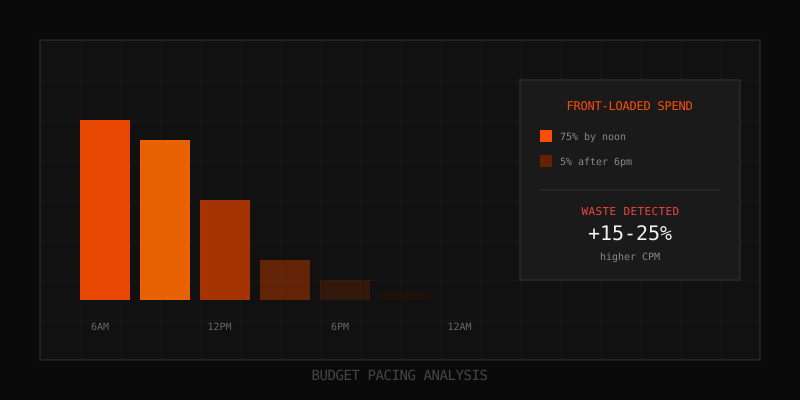
That ad set has been running for three weeks. CPA is 2.3x your target. It's still marked "Learning" in Ads Manager. Your gut says kill it. Your brain says give it more time. This tension between patience and decisiveness is where most advertisers lose money.
The truth: there's no single right answer that applies to every situation. But there is a data-driven framework that helps you make consistent, defensible decisions. This post gives you that framework—specific metrics, timeframes, and decision trees that remove the guesswork from ad set termination.
The Real Cost of Indecision
Before diving into when to kill an ad set, let's quantify the cost of getting it wrong in either direction:
Killing Too Early
- Lost learning: The algorithm was still gathering data; you killed a future winner
- Wasted setup time: Audience research, creative production, launch—all for nothing
- False negative: You conclude the strategy doesn't work when it might have
- Creative burn: That creative is now "used" in your audience's eyes, reducing future effectiveness
Killing Too Late
- Direct budget waste: Every day at 2x CPA is money burned
- Opportunity cost: Budget locked in underperformers can't fund winners
- False confidence: Account-level metrics look worse, distorting strategic decisions
- Algorithm training: You're teaching the algorithm to find the wrong people
The goal is to minimize both errors. The framework below tilts the odds in your favor.
The Three-Phase Decision Framework
Every ad set goes through three phases after launch. Each phase has different expectations and different decision criteria.
Phase 1: Launch Window (Days 1-3)
In the first 72 hours, the algorithm is exploring. Performance data is noisy and unreliable. Unless something is catastrophically wrong, you should not make termination decisions in this phase.
What "catastrophically wrong" looks like:
- Zero impressions for 24+ hours (delivery failure, not performance failure)
- CTR below 0.3% with 1,000+ impressions (content doesn't resonate at all)
- CPM 3x+ your account average (auction dynamics are broken for this targeting)
- Creative is displaying incorrectly or violating policy
Action in Phase 1: Monitor but don't optimize. Document initial metrics as baseline.
Phase 2: Learning Phase (Days 4-14)
Meta's learning phase typically requires approximately 50 optimization events (conversions, if that's your objective) within 7 days to exit. During this phase, CPA is typically 20-50% higher than post-learning performance.
The key question in Phase 2: Is the ad set making progress toward stability?
| Indicator | Good Sign | Warning Sign | Kill Signal |
|---|---|---|---|
| CPA trend | Declining day-over-day | Flat | Increasing |
| Conversion volume | 5+ per day | 2-4 per day | 0-1 per day |
| CTR | Above account average | At account average | 50%+ below average |
| CPA vs target | Within 1.5x | 1.5-2x | Above 2.5x |
| Learning status | "Learning" with progress | "Learning Limited" | "Learning" with no progress |
Decision rules for Phase 2:
- Continue: CPA declining and within 2x target, 3+ conversions/day
- Watch closely: CPA flat but within 2x, or declining but above 2x
- Kill: CPA increasing AND above 2x target for 5+ consecutive days
Phase 3: Post-Learning (Day 15+)
Once an ad set exits learning (or becomes "Learning Limited"), you have stable data to make confident decisions. This is where most termination decisions should happen.
The fundamental question: Is this ad set profitable, and is it the best use of this budget?
The Kill Decision Matrix
Use this matrix for ad sets in Phase 3 (or Phase 2 ad sets that have been running 10+ days without exiting learning).
| CPA vs Target | ROAS | Trend (7-day) | Decision |
|---|---|---|---|
| At or below target | Profitable | Stable or improving | Keep running |
| 1-1.5x target | Breakeven | Improving | Give 7 more days |
| 1-1.5x target | Breakeven | Flat or declining | Optimize or kill |
| 1.5-2x target | Unprofitable | Improving quickly | Give 5 more days |
| 1.5-2x target | Unprofitable | Flat or declining | Kill |
| Above 2x target | Any | Any | Kill immediately |
Optimize vs Kill: The Middle Ground
Before killing an ad set, ask: can a small change save it? Some issues are fixable without full termination.
Fixable Issues (Optimize First)
- Budget mismatch: Ad set underspending? Right-size budget to actual delivery capacity
- Bid strategy mismatch: Cost cap too aggressive? Try loosening or switching to Lowest Cost
- Creative fatigue (single creative): Add fresh creative instead of killing the ad set
- Placement inefficiency: Disable Audience Network or other low-performing placements
- Schedule mismatch: Delivering when audience is offline? Adjust scheduling
Unfixable Issues (Kill)
- Audience fundamentally wrong: Interests don't match product; no overlap with buyers
- Offer-audience mismatch: Right audience, wrong offer for that audience
- Market saturation: Frequency 8+ with declining CTR; audience is exhausted
- Structural underdelivery: Audience too small for budget, no fix except audience expansion
- Consistent underperformance: 14+ days at 2x+ CPA despite optimization attempts
The 7-Day Trend Rule
Never make termination decisions based on a single day's data. The 7-day trend rule provides stability:
- Calculate rolling 7-day CPA for the ad set
- Compare to your target CPA
- If rolling CPA exceeds target by 50%+ for two consecutive 7-day periods, kill
- If rolling CPA is improving (even if above target), continue monitoring
This rule prevents knee-jerk reactions to daily volatility while still catching persistent underperformance.
Calculating Your Break-Even Threshold
Your "target CPA" should be calculated from your unit economics, not arbitrary round numbers.
| Input | Example |
|---|---|
| Average Order Value (AOV) | $85 |
| Gross Margin % | 60% |
| Gross Profit per Order | $51 |
| Target Profit Margin (after ads) | 20% |
| Available for Acquisition | $51 - ($85 x 0.20) = $34 |
| Maximum CPA (break-even) | $34 |
| Target CPA (with buffer) | $34 x 0.8 = $27 |
With a $27 target CPA and 50% tolerance threshold, your kill trigger is $27 x 1.5 = $40.50 sustained for 14+ days.
The Statistical Significance Check
Small sample sizes lead to false conclusions. Before killing an ad set, ensure you have enough data:
| Conversion Volume | Confidence in Data | Recommended Action |
|---|---|---|
| 0-10 conversions | Very low | Too early to kill; give more time or increase budget |
| 11-30 conversions | Low-medium | Can kill if CPA is 2.5x+ target, otherwise wait |
| 31-50 conversions | Medium | Can kill if CPA is 2x+ target |
| 51-100 conversions | Good | Can kill if CPA is 1.5x+ target |
| 100+ conversions | High | Data is reliable; use standard thresholds |
The Sibling Comparison Test
Don't evaluate ad sets in isolation. Compare to siblings (other ad sets in the same campaign or with similar targeting):
- Relative performance: Is this ad set bottom 25% of siblings?
- Opportunity cost: Would shifting this budget to the top performer increase total ROAS?
- Testing value: Is this ad set testing something valuable (new audience, new creative) that justifies higher CPA?
An ad set at 1.5x target CPA might be a "kill" if siblings are at 0.8x target, but a "keep" if siblings are at 1.8x.
When to Give More Time
Sometimes the right decision is patience. Extend the evaluation window when:
- New creative: Creative was recently added; it needs time to accumulate data
- Algorithm changes: Meta pushes updates (like Advantage+ changes) that disrupt delivery
- Seasonal shifts: Holidays, events, or market changes temporarily distort performance
- Recent edits: You made changes that reset learning; wait for new learning to complete
- External factors: Competitor activity, news events, or platform issues affecting performance
The Post-Mortem: Learning from Killed Ad Sets
Every killed ad set is a learning opportunity. Before archiving, document:
- Why did it fail? Targeting? Creative? Offer? Timing?
- What signals appeared first? CTR drop? CPM spike? Engagement decline?
- How long did it take to fail? Days 1-7? Days 8-14? Later?
- What would you do differently? Different targeting? Different creative? Different budget?
This post-mortem data compounds over time, helping you launch better ad sets and kill faster when patterns repeat.
Automation: Rules for Consistent Decisions
Manual monitoring doesn't scale. Use Meta's automated rules (or third-party tools) to codify your kill thresholds:
Example Rule: Auto-Pause Underperformers
- Condition: CPA greater than 2x target for 7 consecutive days AND 30+ conversions
- Action: Pause ad set
- Notification: Email alert when triggered
Example Rule: Budget Reallocation Alert
- Condition: Ad set CPA exceeds 1.5x target while sibling ad sets have CPA below target
- Action: Send notification (manual review before action)
- Notification: Slack/email alert with performance comparison
Key Takeaways
- Use a three-phase framework: Launch (1-3 days), Learning (4-14 days), Post-Learning (15+ days)
- Never kill based on single-day data; use 7-day rolling averages
- Require minimum conversion volume for confident decisions (30+ conversions at 2x+ CPA)
- Check for fixable issues before killing; some problems have simple solutions
- Compare to siblings; relative performance matters as much as absolute performance
- Document post-mortems; every killed ad set teaches you something
- Automate consistent rules to remove emotion from decisions
FAQ
Should I kill an ad set that just exited learning phase with high CPA?
Give it 5-7 days post-learning before deciding. CPA often stabilizes and improves in the first week after learning. If it doesn't improve by day 7, apply the kill matrix.
What if an ad set was profitable but CPA is now climbing?
This is typically creative fatigue or audience saturation. Check frequency first—if it's above 5, you've likely exhausted the audience. Try adding fresh creative before killing. If creative refresh doesn't help within 5-7 days, kill.
How do I handle ad sets with very low conversion volume?
Low volume makes data unreliable. Options: (1) Increase budget to generate more data faster, (2) Broaden targeting to increase delivery, (3) Optimize for a higher-volume event temporarily. If none work, kill after 14 days regardless of CPA.
Should I ever kill a profitable ad set?
Yes, if budget is limited and other ad sets are more profitable. Opportunity cost matters. A $30 CPA ad set should be killed if you could shift that budget to a $20 CPA ad set and generate more total profit.
What's the minimum time before killing any ad set?
Absolute minimum: 7 days unless there's a catastrophic issue (zero delivery, policy violation). Recommended minimum: 14 days for full evaluation. Exception: if CPA is 3x+ target after 7 days with 20+ conversions, you have enough signal to kill.
Learn more: How it works · Why bundles beat raw thread history