
Thread Transfer
Token Usage Analytics and Optimization Guide
Without analytics, 30-50% of token spend is waste. Track per-user, per-endpoint, per-model consumption. Identify outliers, set budgets, automate alerts.
Thread Transfer
AI Systems for Builders
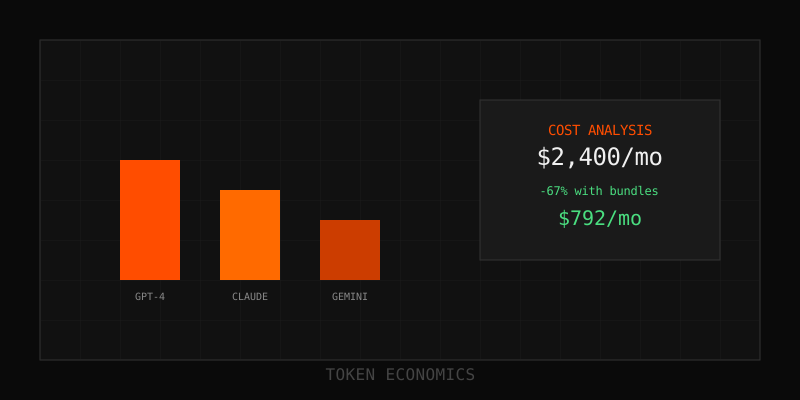
Without analytics, 30-50% of token spend is invisible waste—duplicated prompts, inefficient endpoints, runaway users. Tracking per-user, per-endpoint, per-model consumption surfaces outliers, enables budgets, and automates alerts. This guide covers observability tools (Langfuse, Helicone, Datadog), dashboarding strategies, and cost allocation frameworks to optimize LLM spend.
The visibility gap: why most teams overspend
LLM applications generate costs differently than traditional infrastructure. A single user prompt can trigger 5-20 backend LLM calls (RAG retrieval, multi-step reasoning, error retries). Token consumption varies 10-100x across users based on query complexity. Without granular tracking, you're flying blind.
Common invisible waste patterns:
- Power users: 5% of users consume 60% of tokens (long conversations, complex queries)
- Inefficient prompts: Poorly designed endpoints burn 2-5x tokens vs. optimized versions
- Development leakage: Dev/staging environments accounting for 20-40% of production spend
- Retry storms: Error handling bugs causing 10-100x duplicate requests
- Zombie features: Deprecated endpoints still consuming 10-30% of budget
Analytics makes waste visible. Teams implementing comprehensive tracking cut costs 30-50% within 90 days through targeted optimization.
Token analytics architecture: what to track
Core metrics (minimum viable analytics)
| Metric | Why It Matters | Target Frequency |
|---|---|---|
| Total tokens/day | High-level budget tracking, trend detection | Daily |
| Cost/day | Direct spend monitoring, ROI analysis | Daily |
| Tokens by model | Identify if using right models (e.g., GPT-4 overuse) | Daily |
| Requests/day | Volume trends, capacity planning | Hourly |
| Average tokens/request | Prompt efficiency, detect bloat | Daily |
| Error rate | Waste from retries, quality issues | Real-time |
Advanced metrics (production optimization)
| Metric | Why It Matters | Use Case |
|---|---|---|
| Cost by user/customer | Usage-based pricing, outlier detection | SaaS with per-seat or usage tiers |
| Cost by endpoint/feature | ROI per feature, prioritize optimization | Multi-feature products |
| Cost by team/business unit | Chargeback/showback, budget accountability | Enterprises, multi-tenant platforms |
| Cache hit rate | Caching effectiveness, optimization opportunities | Apps using prompt caching |
| Latency (p50, p95, p99) | User experience, model selection validation | Real-time applications |
| Input vs. output token ratio | Prompt efficiency, detect verbose outputs | Content generation apps |
| Tokens by environment | Dev/staging waste, prevent production leakage | All production apps |
Observability tools: 2025 landscape
Langfuse (open-source, developer-focused)
Strengths: Detailed tracing for multi-step LLM workflows, automatic usage/cost capture from LLM responses, prompt versioning and management, open-source (self-hostable).
Best for: Dev teams needing granular debugging, prompt experimentation, multi-model applications.
Key features: Trace-level token counts, cost attribution by user/session, prompt A/B testing, integrations with OpenAI, Anthropic, Langchain.
Pricing: Free (open-source) or cloud-hosted ($49-$499/month based on volume).
Helicone (cost optimization focus)
Strengths: Built-in prompt caching (30-90% savings), simple integration (proxy layer), real-time cost dashboards, alerts for budget overruns.
Best for: Teams prioritizing cost reduction over deep tracing, fast time-to-value (<30 min setup).
Key features: Automatic caching, cost breakdowns by user/tag, latency monitoring, supports OpenAI, Anthropic, Google, custom models.
Pricing: Free tier (10k requests/month), Pro $49/month, Enterprise custom.
Datadog LLM Observability (enterprise-grade)
Strengths: Unified platform (LLM + infrastructure + APM), deep cloud cost integration, application-to-trace-level granularity, enterprise compliance/security.
Best for: Large enterprises with existing Datadog deployments, need for centralized observability across all systems.
Key features: Cost tracking by application/model/span, anomaly detection (ML-powered alerts), correlation with infrastructure metrics (GPU utilization, API latency).
Pricing: $15-$35/host/month (LLM Observability add-on to base Datadog plan).
TrueFoundry AI Gateway (multi-tenant platforms)
Strengths: Customer-level cost attribution, chargeback/showback for multi-tenant apps, real-time dashboards, supports API + self-hosted models.
Best for: B2B SaaS platforms billing customers based on LLM usage, teams managing mixed API + self-hosted infrastructure.
Key features: Custom metadata tagging (customer_id, business_unit, feature_name), interactive usage graphs, API rate limiting and quotas per customer.
Pricing: Custom (enterprise-focused).
Portkey (full-stack observability)
Strengths: Tracks 21+ metrics (latency, error rates, cost, throughput), supports multiple LLM providers, workflow debugging for complex chains.
Best for: Teams using agent frameworks (LangChain, LlamaIndex) with multi-step workflows.
Key features: Trace visualization, prompt analytics, model performance comparison, fallback routing (if primary model fails, route to secondary).
Pricing: Free tier (5k requests/month), Growth $99/month, Enterprise custom.
Implementation: instrumenting your application
Approach 1: Proxy layer (fastest setup)
Tools like Helicone and TrueFoundry act as proxies—route all LLM traffic through their gateway. Minimal code changes (swap API endpoint URL). Automatic metrics collection.
Pros: 15-30 minute setup, no SDK changes, works with any LLM provider.
Cons: Adds 10-50ms latency (network hop), limited customization, potential vendor lock-in.
Approach 2: SDK integration (deeper control)
Tools like Langfuse and Portkey offer SDKs that wrap LLM calls. More control over metadata tagging, custom events, local processing before logging.
Pros: No latency overhead, granular tagging (user_id, session_id, feature flags), works offline.
Cons: 1-3 days integration effort, requires code changes in every LLM call site.
Approach 3: Custom logging pipeline (maximum flexibility)
Build your own: log token counts, costs, metadata to Datadog, Elasticsearch, or data warehouse. Query with SQL/dashboards (Grafana, Tableau).
Pros: Total control, integrates with existing analytics stack, no third-party dependencies.
Cons: 5-20 days build time, ongoing maintenance, requires data engineering expertise.
Dashboard design: actionable insights
Executive dashboard (CFO/leadership view)
- Total monthly spend: Trend chart (current month vs. last 3 months)
- Spend by product/feature: Bar chart showing cost allocation
- Cost per customer/user: Identify high-value and high-cost segments
- Budget utilization: Gauge showing % of monthly budget consumed
- ROI metrics: Revenue per dollar of LLM spend (if applicable)
Engineering dashboard (optimization focus)
- Cost by model: Are we overusing expensive models? (GPT-4 vs. GPT-3.5)
- Cost by endpoint/feature: Which features are cost outliers?
- Average tokens per request: Detect prompt bloat trends
- Cache hit rate: Is caching working? (target 70%+)
- Error rate by endpoint: Retry storms inflate costs
- Latency distribution: P95/P99 latency by model
Customer success dashboard (usage-based pricing)
- Cost by customer (top 20): Identify whales and at-risk overage
- Tokens by customer tier: Free vs. Pro vs. Enterprise usage patterns
- Overage alerts: Customers approaching plan limits (proactive outreach)
- Feature adoption: Which features drive usage (and cost)?
Alert strategies: proactive cost management
Budget alerts
- Daily spend > $X: Fire when daily spend exceeds threshold (e.g., $500/day = $15k/month).
- Monthly budget at 80%: Warning before hitting monthly cap.
- Week-over-week spike > 30%: Anomaly detection (possible bug, viral feature, attack).
Quality alerts
- Error rate > 5%: High error rates = wasted retries. Investigate immediately.
- Cache hit rate < 50%: Caching underperforming. Check prompt consistency.
- P95 latency > 5 seconds: User experience degradation. Consider faster model or optimization.
Per-user alerts
- User consuming > $50/day: Possible abuse, bot, or legitimate power user (outreach needed).
- Customer at 90% of plan quota: Proactive upgrade opportunity or overage warning.
Cost allocation frameworks
Chargeback (direct cost attribution)
Model: Each team/department pays for their LLM usage. IT bills $X/month based on tracked consumption.
Best for: Large enterprises with established chargeback culture (cloud costs, SaaS licenses).
Implementation: Tag every request with team_id or business_unit. Monthly reports show cost per team. Finance debits each budget.
Showback (visibility without billing)
Model: Teams see their usage and cost but aren't directly billed. Encourages self-optimization without financial friction.
Best for: Startups, mid-sized companies without mature chargeback processes.
Implementation: Share dashboards showing per-team consumption. Quarterly reviews to discuss optimization opportunities.
Usage-based customer billing
Model: Pass LLM costs directly to customers based on usage (tokens, requests, or derived metrics like "AI credits").
Best for: B2B SaaS platforms, API-first businesses.
Implementation: Track cost per customer_id in real-time. Bill monthly based on tiered pricing (e.g., $0.01 per 1k tokens, or bundled packages like "1M tokens/month for $99").
Optimization playbook: translating analytics into savings
1. Identify expensive endpoints
Signal: Dashboard shows Endpoint A consumes 40% of tokens but drives 10% of value.
Action: Optimize prompt (reduce verbosity), switch to cheaper model (GPT-3.5 instead of GPT-4), or add caching for repeated queries.
Expected savings: 30-60% for that endpoint.
2. Route by complexity
Signal: 70% of requests are simple (classification, extraction) but using expensive model.
Action: Implement routing: simple requests → Haiku ($0.25/M), complex → Sonnet ($3/M).
Expected savings: 40-60% blended cost reduction.
3. Eliminate dev/staging waste
Signal: Analytics show dev environment consuming 30% of total tokens.
Action: Use cheaper models in dev (GPT-3.5, local Llama), implement stricter rate limits, mock LLM responses for unit tests.
Expected savings: 20-40% total spend reduction.
4. Fix retry storms
Signal: Error rate dashboard shows 15% failures, retries consuming 2x expected tokens.
Action: Improve error handling (exponential backoff, circuit breakers), validate inputs before LLM calls, add request deduplication.
Expected savings: 15-30% waste elimination.
5. Implement caching
Signal: Cache hit rate < 30% or caching not enabled.
Action: Enable prompt caching for repeated context (system prompts, knowledge bases). Restructure prompts for stable prefixes.
Expected savings: 50-90% on cached portions (typically 30-70% of total tokens).
6. Compress context with Thread Transfer
Signal: Long conversation threads or context windows consuming excessive tokens.
Action: Use Thread Transfer to bundle/compress conversation histories. Reduce 20k token threads to 4k token bundles (80% reduction).
Expected savings: 40-80% on conversation-heavy applications.
Real-world analytics impact
Case 1: SaaS platform (customer support automation)
Before analytics: $12,000/month spend, no visibility into cost drivers.
After implementation: Langfuse tracking revealed: 40% of spend from dev environment (using GPT-4), 30% from single "summarization" endpoint (inefficient prompt), 10% from error retries.
Optimizations: Switched dev to GPT-3.5 ($4,800 → $1,200), optimized summarization prompt ($3,600 → $1,500), fixed retry logic ($1,200 → $300).
Result: $12,000 → $5,400/month (55% reduction in 60 days).
Case 2: E-commerce personalization engine
Before analytics: $8,000/month, concern about scaling costs.
After implementation: Helicone dashboard showed 80% of requests were simple product recommendations (could use cheaper model), cache hit rate 0% (no caching enabled).
Optimizations: Implemented routing (simple → Haiku, complex → Sonnet), enabled prompt caching for product catalog context.
Result: $8,000 → $2,400/month (70% reduction). Scaled to 5x traffic with same $2,400 budget.
Case 3: Multi-tenant B2B platform
Before analytics: $25,000/month total spend, flat-rate customer pricing (leaving money on table).
After implementation: TrueFoundry AI Gateway showed top 10 customers consuming 75% of tokens. Average customer: $50/month cost. Top customer: $4,200/month cost (paying same $99/month flat rate).
Optimizations: Introduced usage-based pricing tiers ($99/month for 1M tokens, $299 for 5M, $999 for 20M). Top customers moved to higher tiers.
Result: Revenue increase $15,000/month, cost unchanged. Margin improvement 60 percentage points.
Closing thoughts
Token usage analytics transforms invisible LLM costs into actionable insights. Tracking per-user, per-endpoint, per-model consumption surfaces 30-50% waste within weeks. Combined with optimization strategies (caching, routing, bundling), teams routinely achieve 50-85% cost reductions.
Start with minimum viable analytics: total tokens/day, cost by model, top users. Implement alerts for budget overruns and anomalies. Layer on advanced metrics (cost by feature, cache hit rates) as you scale. Choose tools based on needs: Langfuse for dev teams, Helicone for fast cost wins, Datadog for enterprises, TrueFoundry for multi-tenant platforms.
Pair analytics with Thread Transfer's context compression (40-80% token reduction on conversations), prompt caching (50-90% savings), and smart model routing (40-60% blended cost reduction) for compounding optimization effects. Best-in-class teams achieve 70-90% total LLM cost reduction while improving output quality.
Need help implementing token analytics or architecting cost optimization infrastructure? Reach out.
Learn more: How it works · Why bundles beat raw thread history