
Thread Transfer
Webhook Design for AI Systems
Polling is dead. Webhooks are the backbone of event-driven AI. Learn pub/sub patterns, cryptographic signing, exponential backoff, and circuit breakers for production-grade webhook systems.
Thread Transfer
AI Systems for Builders
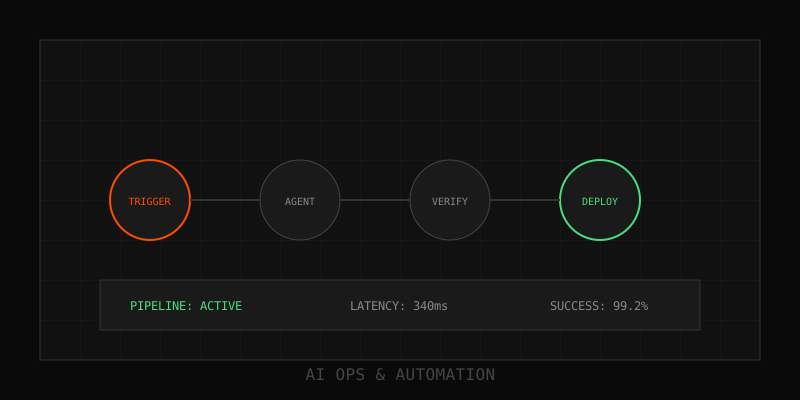
AI systems don't wait around. When context changes, when a decision completes, when an agent finishes a multi-step workflow, your architecture needs to react immediately. Polling is dead. Long-running connections are fragile. Webhooks are the backbone of event-driven AI, and in 2025, they're more critical than ever for building responsive, scalable systems.
Why webhooks matter for AI systems
Traditional request-response APIs force clients to repeatedly ask "are you done yet?" Polling wastes compute, introduces latency, and scales poorly. Webhooks flip the model: your system pushes events the moment they happen. For AI applications, this means:
- Instant reaction to LLM completions. When a long-running AI task finishes (document analysis, multi-agent reasoning, batch processing), webhooks notify downstream systems immediately.
- Event-driven agent orchestration. AI agents coordinate through events, not synchronous calls. Agent A completes research, fires a webhook, Agent B starts synthesis.
- Real-time context updates. When CRM data changes, support tickets update, or user actions occur, webhooks deliver fresh context to AI systems without delay.
- Decoupled architecture. Producers and consumers evolve independently. Your AI inference layer doesn't need to know what listens to completion events.
Core design patterns
1. Publish-subscribe (pub/sub) pattern
Instead of point-to-point webhooks, use a message broker as an intermediary. Your AI system publishes events to topics; subscribers register interest. This scales better than managing individual webhook endpoints.
// TypeScript - Publishing AI completion event
import { EventBridge } from '@aws-sdk/client-eventbridge'

const eventBridge = new EventBridge({ region: 'us-east-1' })

async function publishAICompletion(taskId: string, result: any) {
  await eventBridge.putEvents({
    Entries: [
      {
        Source: 'ai.inference',
        DetailType: 'task.completed',
        Detail: JSON.stringify({
          taskId,
          result,
          completedAt: new Date().toISOString(),
          model: 'claude-opus-4.5',
          tokenUsage: result.usage
        }),
        EventBusName: 'ai-events'
      }
    ]
  })
}
Benefits: multiple consumers can subscribe without the publisher knowing, easy to add new listeners, built-in retry and dead-letter queue handling.
2. Asynchronous processing with queues
Webhook delivery must be non-blocking. When your AI system generates an event, don't make the originating call wait for webhook delivery. Instead, publish to a queue and let workers handle delivery asynchronously.
# Python - Queue-based webhook delivery
import boto3
import json

sqs = boto3.client('sqs')
QUEUE_URL = 'https://sqs.us-east-1.amazonaws.com/123456/webhook-delivery'

def queue_webhook_delivery(webhook_url: str, payload: dict):
    """Queue webhook for async delivery"""
    sqs.send_message(
        QueueUrl=QUEUE_URL,
        MessageBody=json.dumps({
            'url': webhook_url,
            'payload': payload,
            'attempt': 0,
            'max_retries': 3
        })
    )

# Worker process handles actual delivery
def deliver_webhook(message):
    import requests
    data = json.loads(message['Body'])

    try:
        response = requests.post(
            data['url'],
            json=data['payload'],
            timeout=10,
            headers={'Content-Type': 'application/json'}
        )
        response.raise_for_status()
        return True
    except requests.RequestException as e:
        if data['attempt'] < data['max_retries']:
            # Exponential backoff retry
            data['attempt'] += 1
            delay = 2 ** data['attempt']
            sqs.send_message(
                QueueUrl=QUEUE_URL,
                MessageBody=json.dumps(data),
                DelaySeconds=min(delay, 900)  # Max 15 min
            )
        return False
3. Store-and-forward proxy pattern
A webhook proxy sits between event producers and consumers. It receives webhooks, stores them temporarily, optionally transforms payloads, then forwards to final destinations. Critical for debugging and observability.
// TypeScript - Simple webhook proxy
import express from 'express'
import { createClient } from 'redis'

const app = express()
const redis = createClient({ url: 'redis://localhost:6379' })

app.post('/webhooks/:endpoint', async (req, res) => {
  const { endpoint } = req.params
  const payload = req.body

  // Store webhook in Redis with TTL
  const webhookId = `webhook:${Date.now()}`
  await redis.setEx(webhookId, 86400, JSON.stringify({
    endpoint,
    payload,
    receivedAt: new Date().toISOString(),
    headers: req.headers
  }))

  // Acknowledge immediately
  res.status(202).json({ id: webhookId })

  // Forward asynchronously
  forwardWebhook(endpoint, payload, webhookId)
})

async function forwardWebhook(endpoint: string, payload: any, id: string) {
  // Lookup destination, apply transformations, deliver
  const destination = await getDestinationURL(endpoint)
  const transformed = await applyTransformations(payload, endpoint)

  try {
    await fetch(destination, {
      method: 'POST',
      headers: { 'Content-Type': 'application/json' },
      body: JSON.stringify(transformed)
    })
    await redis.hSet(id, 'status', 'delivered')
  } catch (error) {
    await redis.hSet(id, 'status', 'failed')
    await redis.hSet(id, 'error', error.message)
  }
}
Security best practices
Cryptographic signing
Never send webhooks without signing them. Recipients must verify the payload came from your system.
// TypeScript - HMAC signature generation
import crypto from 'crypto'

function signWebhook(payload: object, secret: string): string {
  const body = JSON.stringify(payload)
  return crypto
    .createHmac('sha256', secret)
    .update(body)
    .digest('hex')
}

// When sending webhook
const signature = signWebhook(payload, process.env.WEBHOOK_SECRET)
await fetch(webhookUrl, {
  method: 'POST',
  headers: {
    'Content-Type': 'application/json',
    'X-Webhook-Signature': signature,
    'X-Webhook-Timestamp': Date.now().toString()
  },
  body: JSON.stringify(payload)
})
# Python - Signature verification
import hmac
import hashlib
def verify_webhook(payload: str, signature: str, secret: str) -> bool:
"""Verify webhook signature"""
expected = hmac.new(
secret.encode(),
payload.encode(),
hashlib.sha256
).hexdigest()
return hmac.compare_digest(signature, expected)Idempotency keys
Network failures mean webhooks might be delivered multiple times. Design handlers to be idempotent.
// TypeScript - Idempotent webhook handler
import { Redis } from 'ioredis'

const redis = new Redis()

async function handleWebhook(event: any) {
  const idempotencyKey = event.id

  // Check if already processed
  const processed = await redis.get(`processed:${idempotencyKey}`)
  if (processed) {
    console.log('Webhook already processed, skipping')
    return { status: 'already_processed' }
  }

  // Process event
  await processAIEvent(event)

  // Mark as processed (24 hour TTL)
  await redis.setex(`processed:${idempotencyKey}`, 86400, '1')

  return { status: 'success' }
}
Reliability patterns
Exponential backoff retry
Webhook delivery fails. Network issues, downstream timeouts, rate limits. Implement exponential backoff with jitter.
# Python - Exponential backoff with jitter
import time
import random

def deliver_with_retry(url: str, payload: dict, max_attempts: int = 5):
    for attempt in range(max_attempts):
        try:
            response = requests.post(url, json=payload, timeout=10)
            response.raise_for_status()
            return True
        except requests.RequestException as e:
            if attempt == max_attempts - 1:
                # Final attempt failed, send to DLQ
                send_to_dead_letter_queue(url, payload, str(e))
                return False

            # Exponential backoff: 2^attempt seconds + jitter
            base_delay = 2 ** attempt
            jitter = random.uniform(0, 0.1 * base_delay)
            delay = base_delay + jitter

            time.sleep(delay)

    return False
Circuit breaker pattern
If a webhook endpoint is consistently failing, stop trying temporarily. Prevents cascading failures.
// TypeScript - Circuit breaker for webhooks
class WebhookCircuitBreaker {
  private failures = 0
  private lastFailure: Date | null = null
  private state: 'closed' | 'open' | 'half-open' = 'closed'

  constructor(
    private threshold: number = 5,
    private timeout: number = 60000 // 1 minute
  ) {}

  async call(fn: () => Promise<any>): Promise<any> {
    if (this.state === 'open') {
      if (Date.now() - this.lastFailure!.getTime() > this.timeout) {
        this.state = 'half-open'
      } else {
        throw new Error('Circuit breaker is OPEN')
      }
    }

    try {
      const result = await fn()
      this.onSuccess()
      return result
    } catch (error) {
      this.onFailure()
      throw error
    }
  }

  private onSuccess() {
    this.failures = 0
    this.state = 'closed'
  }

  private onFailure() {
    this.failures++
    this.lastFailure = new Date()

    if (this.failures >= this.threshold) {
      this.state = 'open'
    }
  }
}

// Usage
const breaker = new WebhookCircuitBreaker()
await breaker.call(async () => {
  return fetch(webhookUrl, { method: 'POST', body: JSON.stringify(payload) })
})
AI-specific webhook patterns
Progressive result streaming
Long-running AI tasks can send incremental webhooks as progress happens, not just final completion.
// TypeScript - Progressive webhooks for AI tasks
async function processLongRunningAITask(taskId: string, webhookUrl: string) {
  // Initial webhook: task started
  await sendWebhook(webhookUrl, {
    event: 'task.started',
    taskId,
    timestamp: new Date().toISOString()
  })

  // Progress webhooks
  const steps = ['analyzing', 'reasoning', 'generating', 'validating']

  for (let i = 0; i < steps.length; i++) {
    await performStep(steps[i])

    await sendWebhook(webhookUrl, {
      event: 'task.progress',
      taskId,
      step: steps[i],
      progress: (i + 1) / steps.length,
      timestamp: new Date().toISOString()
    })
  }

  // Final webhook: task completed
  const result = await finalizeTask(taskId)

  await sendWebhook(webhookUrl, {
    event: 'task.completed',
    taskId,
    result,
    timestamp: new Date().toISOString()
  })
}
Context update notifications
When context changes (CRM updated, ticket escalated, user provided feedback), notify AI agents via webhook so they can refresh their understanding.
# Python - Context update webhook
def notify_context_update(entity_type: str, entity_id: str, changes: dict):
    """Notify AI agents when context changes"""
    webhook_payload = {
        'event': 'context.updated',
        'entity': {
            'type': entity_type,
            'id': entity_id
        },
        'changes': changes,
        'timestamp': datetime.utcnow().isoformat(),
        'source': 'crm-integration'
    }

    # Send to AI agent orchestrator
    subscribers = get_context_subscribers(entity_type, entity_id)

    for subscriber in subscribers:
        queue_webhook_delivery(subscriber['url'], webhook_payload)

# Example: CRM contact updated
notify_context_update(
    entity_type='contact',
    entity_id='contact_123',
    changes={
        'status': {'old': 'lead', 'new': 'customer'},
        'tier': {'old': 'free', 'new': 'enterprise'}
    }
)
Observability and debugging
Webhooks fail silently. Build observability from day one.
- Store every webhook attempt. Payload, timestamp, response code, error message. Keep for at least 7 days.
- Webhook replay. Let customers manually retry failed webhooks from your dashboard.
- Monitoring dashboards. Track delivery rate, latency, error rate per endpoint.
- Alerting on failures. If an endpoint fails 5 times in 10 minutes, alert the subscriber.
// TypeScript - Webhook logging structure
interface WebhookLog {
  id: string
  webhookUrl: string
  event: string
  payload: object
  attemptNumber: number
  status: 'pending' | 'delivered' | 'failed'
  statusCode?: number
  error?: string
  latencyMs?: number
  createdAt: Date
  deliveredAt?: Date
}

async function logWebhookAttempt(log: Partial<WebhookLog>) {
  await db.webhookLogs.create({
    data: {
      ...log,
      id: generateId(),
      createdAt: new Date()
    }
  })
}
Integration with popular platforms
Salesforce webhooks
Use Salesforce Platform Events or Outbound Messages to trigger webhooks when AI-relevant data changes.
// Salesforce Apex - Platform Event for AI integration
public class AIContextUpdateEvent__e {
    public String entityType__c;
    public String entityId__c;
    public String changeData__c;
}

// Trigger webhook when contact updated
trigger ContactUpdateTrigger on Contact (after update) {
    List<AIContextUpdateEvent__e> events = new List<AIContextUpdateEvent__e>();

    for (Contact c : Trigger.new) {
        if (isAIRelevantChange(c, Trigger.oldMap.get(c.Id))) {
            events.add(new AIContextUpdateEvent__e(
                entityType__c = 'Contact',
                entityId__c = c.Id,
                changeData__c = JSON.serialize(buildChangePayload(c))
            ));
        }
    }

    if (!events.isEmpty()) {
        EventBus.publish(events);
    }
}
HubSpot webhooks
HubSpot's webhook subscriptions let you receive real-time updates for contacts, deals, and tickets.
# Python - Subscribe to HubSpot webhooks
import requests

def subscribe_to_hubspot_webhooks(app_id: str, access_token: str):
    """Subscribe to HubSpot contact updates"""
    response = requests.post(
        f'https://api.hubapi.com/webhooks/v3/{app_id}/subscriptions',
        headers={'Authorization': f'Bearer {access_token}'},
        json={
            'eventType': 'contact.propertyChange',
            'propertyName': 'lifecyclestage',
            'webhookUrl': 'https://your-app.com/webhooks/hubspot'
        }
    )
    return response.json()

# Handle HubSpot webhook
def handle_hubspot_webhook(request):
    payload = request.json

    for event in payload:
        if event['subscriptionType'] == 'contact.propertyChange':
            contact_id = event['objectId']
            property_name = event['propertyName']
            new_value = event['propertyValue']

            # Notify AI system of context change
            notify_ai_context_update(
                entity_type='hubspot_contact',
                entity_id=contact_id,
                changes={property_name: new_value}
            )
Thread-Transfer + webhooks
Thread-Transfer bundles represent distilled conversation context. When a bundle is created, updated, or finalized, webhooks notify downstream AI systems. Instead of polling for new context, agents receive instant notifications and fetch only what changed.
// Example: Thread-Transfer bundle webhook
{
  "event": "bundle.finalized",
  "bundleId": "bundle_xyz789",
  "conversationId": "conv_abc123",
  "source": "slack",
  "summary": "Customer escalation regarding API timeout issues",
  "participants": ["user_123", "agent_456"],
  "createdAt": "2025-08-10T14:30:00Z",
  "finalizedAt": "2025-08-10T15:45:00Z",
  "url": "https://api.threadtransfer.com/v1/bundles/bundle_xyz789"
}
AI agents subscribe to bundle events, fetch the compact context, and react immediately. No polling lag, no missed updates, no redundant re-processing.
Best practices summary
- Use pub/sub patterns instead of point-to-point webhooks for scalability
- Always deliver webhooks asynchronously via queues
- Sign every webhook with HMAC; verify signatures on receipt
- Include idempotency keys; design handlers to be idempotent
- Implement exponential backoff retry with jitter
- Use circuit breakers to prevent cascade failures
- Log every webhook attempt for debugging and replay
- Send progressive webhooks for long-running AI tasks
- Store webhook history for at least 7 days
Why it matters
AI systems are fundamentally event-driven. Context changes, tasks complete, agents coordinate. Webhooks are the nervous system that makes it all work. Design them well—with proper security, reliability, and observability—and your AI architecture scales. Design them poorly, and you'll drown in polling lag, missed events, and debugging nightmares.
In 2025, webhook design isn't optional infrastructure. It's the foundation of responsive, production-grade AI systems.
Learn more: How it works · Why bundles beat raw thread history